 Vietnamnet.vn

 Podcast



When Apple releases iOS 27, much of the attention will inevitably focus on artificial intelligence. The new generation of Siri, Apple Intelligence and other AI features are designed to harness the processing power of newer devices, beginning with the iPhone 15 Pro.
That could leave owners of older iPhones assuming that iOS 27 is primarily an update for newer hardware, with their devices receiving little more than bug fixes and minor changes.
Early testing suggests otherwise.
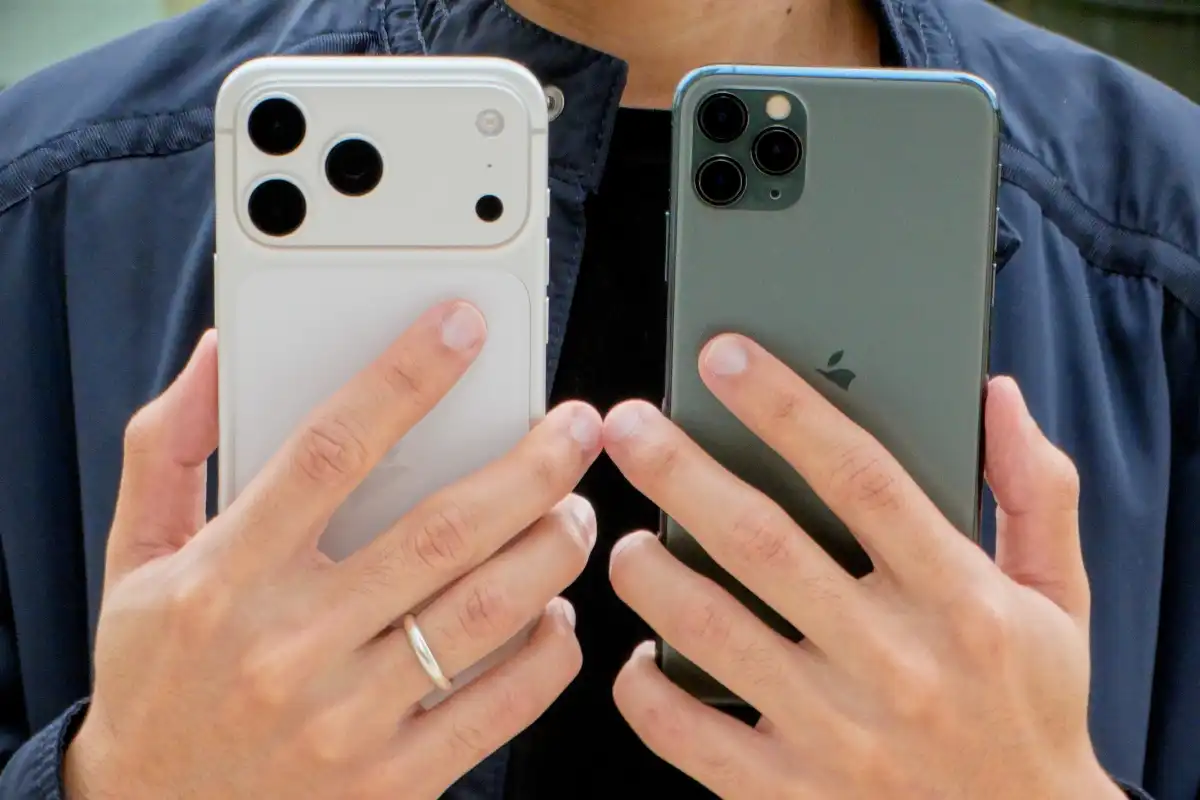
After running an iOS 27 beta on an iPhone 11 Pro Max, one of the oldest iPhones supported by the update, results indicate Apple has put considerable effort into optimizing the operating system for previous-generation hardware.
Older iPhones may not get the latest AI capabilities, but they could become noticeably faster and smoother after upgrading to iOS 27.
For everyday use, it could make iOS 27 one of the more meaningful updates for aging iPhones in years.
iPhone 11 Pro Max gets noticeably faster
One of the most apparent issues for older iPhones running iOS 26 has been system fluidity.
After Apple introduced the Liquid Glass interface with iOS 26, older iPhones, and even some newer devices, experienced occasional stuttering animations, slower app launches and less responsive everyday interactions.
iOS 27 appears designed in part to address those issues, and tests on the iPhone 11 Pro Max suggest the improvements go beyond theory.
One simple test involved opening the Camera app and taking a photo.
On iOS 26, the iPhone 11 Pro Max took around 0.98 seconds to open Camera, followed by another 3.61 seconds to capture an image and load it into the photo library.
Running the iOS 27 beta, Camera launch time fell to around 0.65 seconds.
Taking a picture and immediately opening the newly captured image from its thumbnail took approximately 2.44 seconds.
Differences measured in fractions of a second may not look dramatic on paper.
In practice, however, they can be meaningful on a phone several years old, particularly when users frequently open the camera to capture fleeting moments.
Maps showed an even more substantial improvement.
On iOS 26, the iPhone 11 Pro Max took around 3.01 seconds to load Maps. With the iOS 27 beta, that fell to approximately 1.36 seconds, making the process more than twice as fast.
Safari, the App Store and the share sheet also showed improvements in responsiveness.
Those small time savings can add up across dozens or even hundreds of interactions each day.
More importantly, the improvement is not limited to individual apps. The entire operating system can feel more responsive.
Smoother animations may be the bigger upgrade
Faster app launches are only part of the story.
On the iPhone 11 Pro Max, perhaps the most noticeable difference is how iOS 27 handles animations and transitions.
Under iOS 26, certain interactions could produce stuttering or drops in frame rate. With iOS 27, animations appear more consistent and fluid.
Swiping to open Control Center feels more responsive, while unlocking the phone appears quicker.
Transitions between apps are also less prone to momentary stutters or freezes.
Individually, these are minor details. But because users encounter them repeatedly throughout the day, they have a direct impact on how responsive and polished a phone feels.
The result is that an aging iPhone can feel more like a newer device instead of constantly reminding its owner of the limitations of older hardware.
iOS 27 may also help older iPhones run cooler
Another change observed during testing involves operating temperature.
Under iOS 26, the iPhone 11 Pro Max could become noticeably warm even while performing relatively basic tasks.
With iOS 27, the device appeared able to maintain a lower temperature for longer periods.
That is potentially significant because cooler operation can indicate more efficient management of system resources.
If the CPU and GPU are not working unnecessarily hard on routine tasks, the improvement could also benefit battery life over longer periods of use.
These results were recorded using a relatively early beta version of iOS 27, meaning Apple could make further refinements to performance and power consumption before or through the final release.
Older iPhones still get plenty of new features
Users following Apple's major iOS 27 announcements could be forgiven for thinking older iPhones will receive little beyond performance improvements and bug fixes.
That is not the case.
While the iPhone 11 does not support the new Siri AI, several practical iOS 27 features are still available on older compatible devices.
One is a new clipboard shortcut directly on the keyboard, allowing users to quickly paste recently copied text or screenshots.
Users can also adjust alarm and timer volumes separately, a small but practical addition.
Wallet gains the ability to create custom passes, while iMessage has been redesigned to make sending audio messages more convenient.
The Photos app allows users to save a high-resolution still frame from a video, while Home Screen widgets can be displayed at larger sizes.
These additions may lack the headline appeal of an AI-powered Siri capable of deeper interaction with an iPhone, but they directly affect everyday use.
Apple has also continued refining its Liquid Glass interface on iPhones compatible with iOS 27.
A new transparency control lets users adjust the appearance of the interface to their preference rather than relying on a single fixed setting.
Apple's decision to continue supporting the iPhone 11 with iOS 27 may initially have seemed surprising, particularly after the less-than-ideal experience of iOS 26 on older hardware.
Early testing provides a clearer rationale. Apple's latest software effort appears to extend beyond bringing AI to its newest iPhones, with significant attention also being given to optimizing the experience for millions of older devices still in everyday use.
Hai Phong
.svg)
